AiPCby SYSIK · v1.1.1
Pick your OS for exact commands. First run sets everything up itself.
click to copy# easiest:
npm i -g aipc-sysik
# or exe from Releases, then:
aipc
click to copy# binary from Releases:
chmod +x AiPC_macOS_1.1.1 && ./AiPC_macOS_1.1.1
# or via package manager:
npm i -g aipc-sysik
pip install aipc-sysik
click to copy# binary from Releases (X11 session works best):
chmod +x AiPC_Linux_1.1.1 && ./AiPC_Linux_1.1.1
# or via package manager:
npm i -g aipc-sysik
pip install aipc-sysik
Next: aipc mcp is the command for your IDE, aipc install --dry-run previews changes.
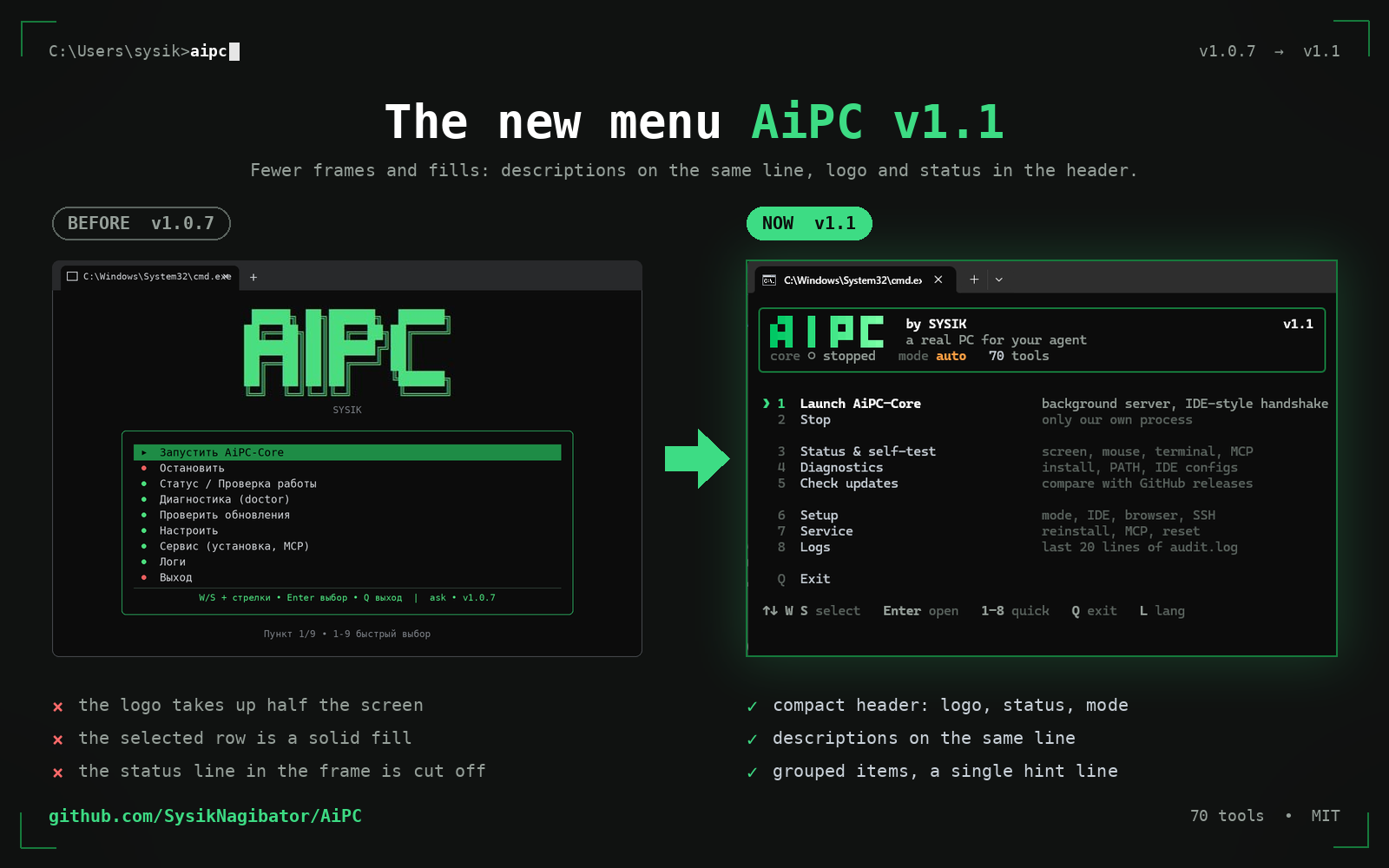
Compact header: logo, status, mode. Descriptions on the same line. Item groups, one hint row.
Six circuits of work — from eyes to full control.
Screenshots arrive as a native image block: roughly 10x cheaper than base64 in tokens. The UI tree immediately gives click coordinates.
> screen_see
image + marked cursor
> ui_find "Save"
{"t":"Button","x":512,"y":884}
Mouse, keyboard, clipboard, launching apps. Types only into a verified window, never into the void.
> focus_type
verifies focus, types atomically
> press_key Enter
Connects via CDP: tabs, navigation, page JS and history search. More reliable than coordinate clicks.
> browser_goto youtube.com
> browser_eval
document.querySelector('h1').innerText
Reads and writes files with .bak backups, runs commands, streams over SSH/SFTP. Errors arrive structured.
> run_cmd ipconfig
stdout and stderr split
> ssh_sftp_get
/var/log/app.log → C:\logs\
A “saw, did, checked” loop: waits for windows and elements instead of blind sleeps, re-verifies with a fresh screenshot.
> wait_for_window "Save as"
waits for the window, never naps blindly
> assert_ui "Done"
{"ok": true}
ask, auto and read-only modes, command and path denylists, a log of every call. Admin rights needed once, at install.
mode: read-only
server blocks mutating tools
> run_cmd mimikatz
{"ok": false, "reason": "denied"}
Two minutes — and you get how it looks live.
Ready builds from the releases page. Your OS is highlighted automatically.
Once — at install (UAC will ask itself). Afterwards everything runs as a normal user, MCP registers without admin.
Yes — Wayland blocks synthetic input by protocol design, not a bug. Log into an X11 session (gear icon on the login screen), everything works there.
ask mode (default) asks a human before every dangerous action, with 10/60-minute timers. There is read-only for looking only. Every call is logged to audit.log.
19 out of the box: Cursor, VS Code, Claude Desktop/Code, Windsurf, Zed, Gemini CLI, Codex, Antigravity, Continue and more. Run aipc install --ide cursor or menu → Setup.